Introduction to TwoFactor Commands
Using TwoFactor Commands
Installation
Install the NuGet package DisCatSharp.Extensions.TwoFactorCommands into your project.
You'll also need DiscordSharp.Interactivity.
Enable the extension by calling UseTwoFactor on your DiscordClient instance:
using DisCatSharp.Extensions.TwoFactorCommands;

// ...

client.UseTwoFactor();
Basic Operations
Enrolling a user in two factor
To enroll a user in two factor, call EnrollTwoFactorAsync on your InteractionContext.
using DisCatSharp.Extensions.TwoFactorCommands.ApplicationCommands;

// ...
[SlashCommand("setup_two_factor", "Setup 2FA")]
public static async Task SetupTwoFactorAsync(InteractionContext ctx)
    => await ctx.EnrollTwoFactorAsync();
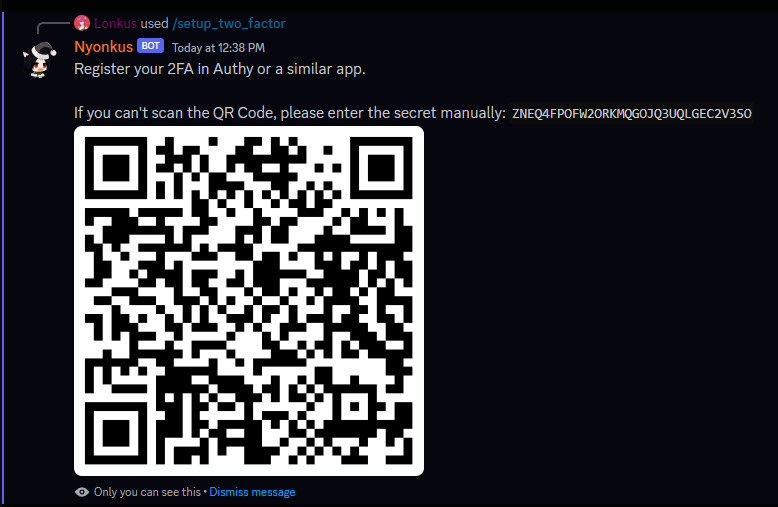
Example way to ask a user to register their two factor:
Disenrolling a user in two factor
To disenroll a user from two factor, call UnenrollTwoFactorAsync on your InteractionContext instance.
using DisCatSharp.Extensions.TwoFactorCommands.ApplicationCommands;

// ...
[SlashCommand("remove_two_factor", "Remove 2FA"), ApplicationCommandRequireEnrolledTwoFactor]
public static async Task RemoveTwoFactorAsync(InteractionContext ctx)
	=> await ctx.UnenrollTwoFactorAsync();
Check if a user is enrolled in two factor
To check the enrollment of a user, use the function CheckTwoFactorEnrollmentFor(DiscordUser.Id) on your DiscordClient instance.
using DisCatSharp.Extensions.TwoFactorCommands;

// ...

ctx.Client.CheckTwoFactorEnrollmentFor(ctx.User.Id);

// ...
Using TwoFactor with Application Commands
To force a command to require two factor, use the ApplicationCommandRequireEnrolledTwoFactorAttribute attribute.
[SlashCommand("some_tfa_command", "This command can only be used with tfa"), ApplicationCommandRequireEnrolledTwoFactor]
To ask a user to submit their two factor code, use the function RequestTwoFactorAsync() on your BaseContext.
It returns a TwoFactorResponse.
var tfa_result = await ctx.RequestTwoFactorAsync();

if (tfa_result.Result != TwoFactorResult.ValidCode)
{
    // Handle incorrect code
    return;
}

// Do your stuff
Using TwoFactor with Buttons
Using two factor authentication on buttons is pretty similar to slash commands but it'll need a DiscordClient to attach to.
Run RequestTwoFactorAsync() on your ComponentInteractionCreateEventArgs to ask the user for the two factor auth code.
Same deal as for slash commands, it'll return a TwoFactorResponse.
async Task SomeButtonInteraction(DiscordClient sender, ComponentInteractionCreateEventArgs e)
{
    var tfa_result = await e.RequestTwoFactorAsync(sender);

    if (tfa_result.Result != TwoFactorResult.ValidCode)
    {
        // Handle incorrect code
        return;
    }

    // Do your stuff
}
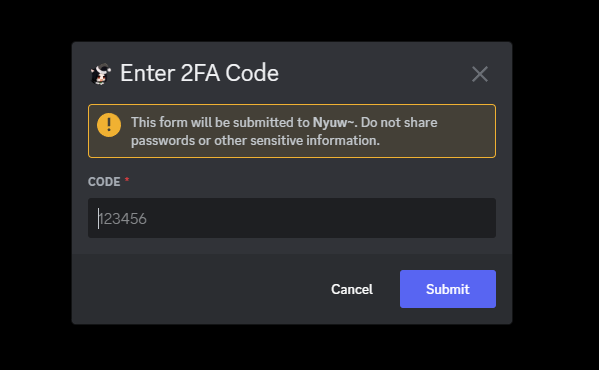
The user will be asked to submit their two factor code like this: